
Short-form video works best when businesses focus on the platforms that align with their goals, audience, and content style. Instagram is strongest for discovery and visibility, Facebook helps reinforce relationships and engagement with existing audiences, and YouTube Shorts supports long-term credibility and educational content. Instead of trying to be everywhere, businesses see better results Continue Reading
Blog

Why Should I Care About Google Reviews?
The short answer: Google reviews for local businesses can make a significant impact on your reputation and customer trust. The simple truth is that Google reviews are often the deciding factor in whether someone gives your business a shot or keeps on scrolling. Almost everyone checks reviews before buying anything these days. They help you show up higher in local searches, build real trust with Continue Reading

Frequently Asked Questions About Facebook Business Pages
Questions From Small Businesses Like Yours Managing a Facebook business page can feel overwhelming, especially when you're focused on running your business. We regularly hear the same questions from small business owners who want to use Facebook effectively but aren't sure about the basics. Whether you're wondering about logins, security, or scheduling posts, these five frequently asked Continue Reading

Hiring Help
It seems like everyone is trying to hire, while so many others are offering their analysis of what happened to all the applicants. The flip side is that for a variety of reasons, many people are switching jobs and even professions. The good news is applicants are out there! We're here with practical hiring help ideas that really do work! There are three important questions to ask yourself, Continue Reading
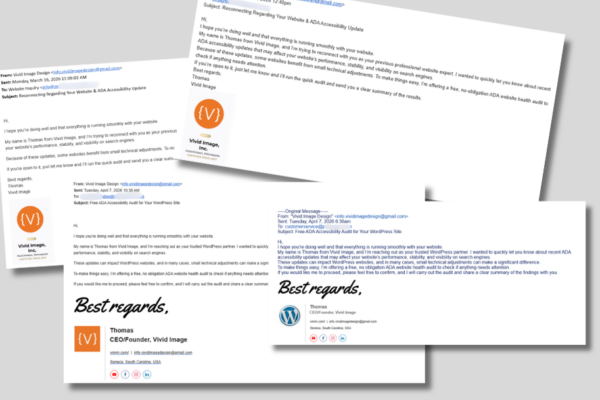
How to Spot and Report Fake Emails Pretending to Be Vivid Image
Phishing Emails Being Sent There are fake emails being sent that appear to come from Vivid Image. These messages are not from our team. They are fraudulent and are meant to trick people into responding, clicking links, opening files, or sharing information. At Vivid Image, we value relationships, and our clients work closely with the same Account Director. So if you receive an email from Continue Reading
5 Tips for Any Sized Marketing Budget
Practical Marketing Ideas to Strengthen Your Brand Running a small company calls for creativity, resilience, and confidence in the value you provide. As your business grows, each stage offers new opportunities to market with purpose, use your resources wisely, and connect with the people you serve. By staying focused and intentional, you can build momentum that strengthens your brand and supports Continue Reading
